01 — 06
How it works
-
01
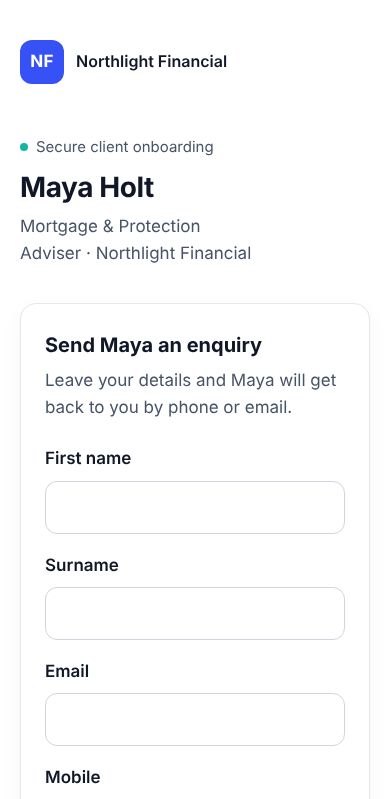
They scan your QR code
Your client scans your card or follows your link, picks what they need help with and sends you an enquiry.
-
02
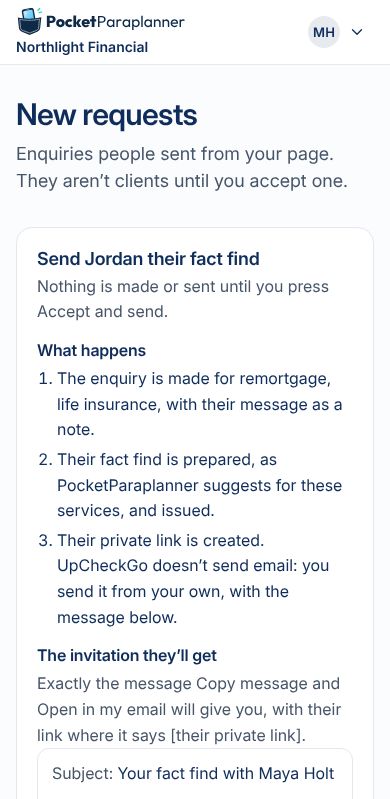
You accept, and add what you know
Accept it in one tap. Add what you already know from your CRM or your notes, and their fact find asks only for the gaps. You send their private link from your own email.
-
03
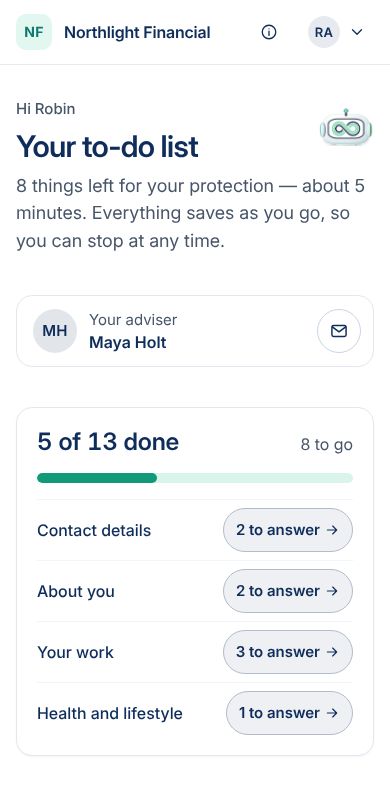
They fill in the gaps, on their phone
One question at a time, and only what's needed for the next stage. Documents they upload can suggest answers, for them to check.
-
04
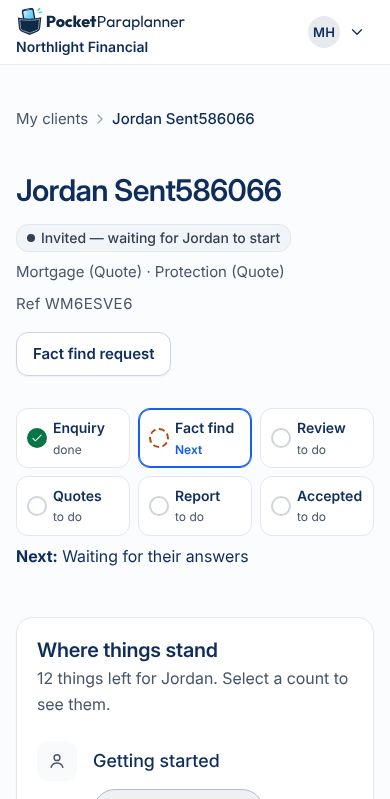
You review and follow up
See what's ready and what's missing on every case. Gaps go back to your client as follow-ups.
-
05
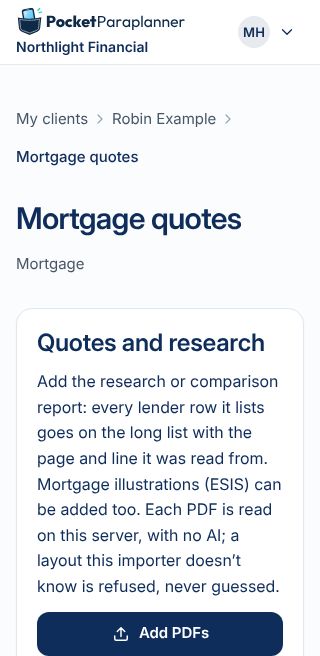
Quotes, chosen and shared
Upload the PDF from the quoting platform you already use and every line is read for you to check. Pick the options you recommend, and your client sees them on their own page.
-
06
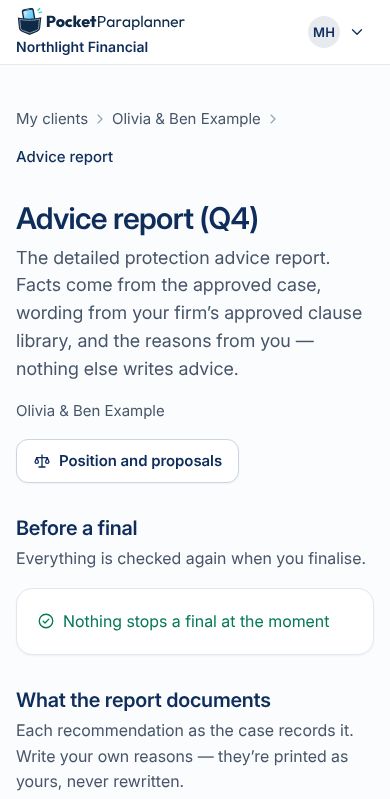
The report, in your firm's words
The suitability report is drafted from your firm's approved wording and your own reasons. A draft first, then a final, shared with your client on their own page.
works with what you already use
Bolts on to your CRM
PocketParaplanner isn't another CRM. It keeps a working copy while the advice happens, then the case goes back into the system you already use.
- Export and upload, today. A case's details as CSV and JSON, with a readable index, its documents and its reports, ready to upload to your CRM.
- Start from what you know. Add what's already in your CRM or your notes, and your client only fills the gaps.
- Emails and meeting notes. Add them to a case and PocketParaplanner picks out what was promised and what's changed, for you to check. Nothing is sent to AI.
- Planned: direct connections to CRMs, Microsoft 365 and Google.
quotes, made clear
Quotes your clients understand
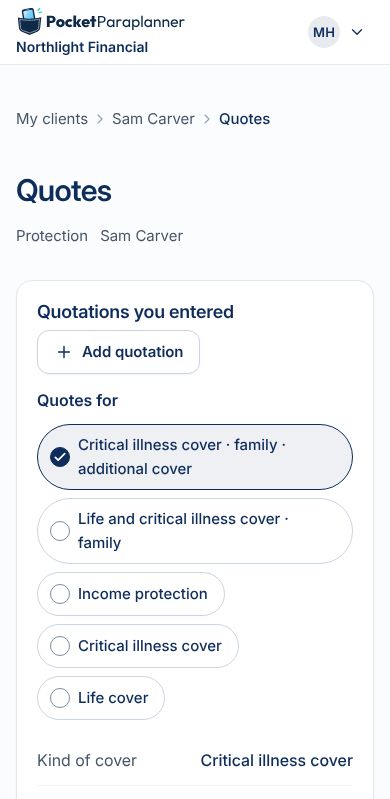
Upload the PDF from the quoting platform you already use. Every line is read for you to check, with no AI. Choose the options you recommend, and your client sees them on their own page, laid out simply and in your firm's colours.
- Life, critical illness and income protection side by side, and mortgage options too.
- What you recommend, and why, in your own words.
- Their report beside it, drafted from your firm's approved wording.
built for advice firms
Your firm, your wording, your clients
-
Your firm's brand
Clients see your firm's name, logo and colours on their invitation, their pages and their documents.
-
Each adviser, their own cases
Advisers work on their own clients' cases, and add a colleague to a case when they need one.
-
Health details kept apart
Health information needs the client's own consent, and they can withdraw it.
-
Your QR code, printed
A print pack with your own QR code: a card, a poster, and images for a T-shirt.
built and tested
Everything around the advice
-
Reports and letters
- Mortgage and protection suitability reports
- Declined advice, waiver of advice and insistent client letters
- From your firm's approved wording: a draft first, then a final
-
After the sale
- Your client's own page with their cover and mortgages
- Policy documents delivered, each download recorded
- Reminders when cover is due to start
- Changed terms compared with what you recommended
-
Referrals and networks
- Introduce a client to another firm: the client chooses what goes
- Share a case with another firm, once the client agrees
- Referral panels and network views, never client details
-
Security and data
- Passkey sign-in, with no passwords
- Health details only with the client's consent
- Subject access packs and case exports
- Records kept for as long as your firm sets, from 1 to 10 years
In private testing: each is switched on as it's ready.
see it working
The whole app, screen by screen
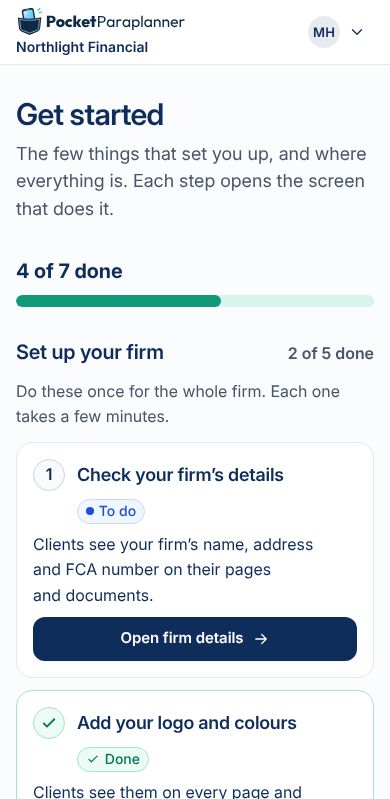
Setting up a firm, the quick sale from a QR code, and everything else, with short captioned videos. Every screen comes from the app's own tests, with made-up firms and people.
 3 short videos
Get in touch
Questions, or want to see more? Email us at hello@pocketparaplanner.com.